Key takeaways
- A smart link is one URL that sends different people to different destinations depending on their device, operating system, and whether they already have your app installed.
- A plain short URL always redirects to the same fixed address, which works fine for a single audience but breaks down the moment you are marketing across iOS, Android, and the web from one piece of content.
- The clearest sign you need a smart link rather than a short URL is having exactly one link slot, a bio, a QR code, a single ad creative, that has to work correctly for every platform your audience might be on.
What makes a link "smart"
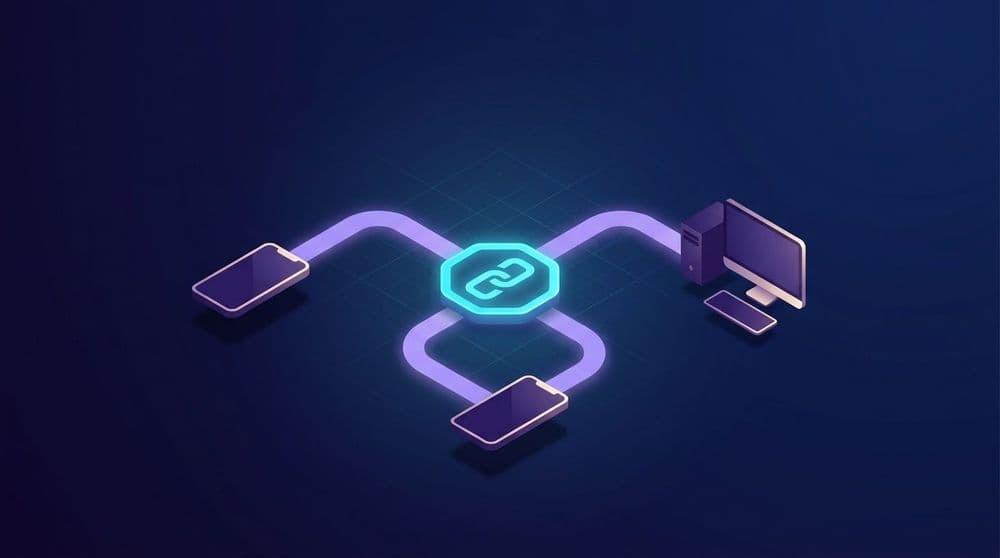
A smart link looks like an ordinary URL, but instead of pointing to one fixed destination, it evaluates who is clicking and decides where to send them. Someone on an iPhone gets routed toward the App Store or straight into your app if it is already installed. Someone on Android gets the Play Store or the Android app. Someone on a desktop browser gets your website. All three people tapped or clicked the exact same link.
That routing decision happens in the moment of the click, based on signals like the user agent and operating system, which is what separates a smart link from a standard redirect.
How this differs from a plain short URL
A traditional short URL, the kind produced by a basic link shortener, does one job: it takes a long address and makes it shorter and easier to share. Click it from anywhere, on any device, and you land on the same destination every time. That is exactly the right tool when your audience and your destination are both singular, a link in an email footer pointing to one blog post, for instance.
The moment your link needs to behave differently depending on the visitor, one destination stops being enough. A short URL pointed at your App Store listing sends Android users to a page that cannot help them. A short URL pointed at a marketing page cannot open your app directly for someone who already has it installed. A smart link handles all of these cases from a single URL because the destination is not fixed, it is computed per click.
What a smart link actually does at click time
Behind the single URL, a smart link typically runs through a decision sequence: detect the operating system, check whether the app is already installed on that device where possible, and route accordingly. If the app is installed, open it directly to a relevant screen with a Universal Link or App Link. If not, send the user to the correct app store for their platform, where deferred deep linking can still route them to the intended screen after install. If they are on desktop, send them to a web destination instead of a mobile app store link that would confuse them.
The same link can also carry campaign parameters through that whole sequence, so a marketer gets one clean URL to put on a business card, a QR code, or a link-in-bio page, while still capturing which channel or campaign the click came from.
Where smart links are worth it
The strongest case for a smart link is anywhere you have exactly one link slot serving a mixed audience. A link-in-bio page is the clearest example: one URL, visited by people on iPhones, Android phones, and occasionally desktops, all from the same profile. A single QR code printed on packaging or a poster is another, since you cannot know in advance what device will scan it. Cross-platform ad creative that runs on both iOS and Android inventory benefits the same way, since one smart link replaces what would otherwise be two separate tracked URLs per placement.
Where a plain short URL is still fine
Not every link needs this. If you are sending a link in an email specifically to iOS users, or posting in a community you know is desktop-only, a plain short URL is simpler and there is nothing for a smart link to add. The overhead of smart routing only pays off once the audience behind a single link is genuinely mixed across platforms or install states.
Frequently asked questions
What is a smart link?
A smart link is a single URL that routes to different destinations depending on the visitor's device, operating system, and whether they already have your app installed. It replaces the need for separate links per platform with one link that adapts at the moment of the click.
How is a smart link different from a short URL?
A short URL always redirects to the same fixed destination regardless of who clicks it. A smart link evaluates the visitor's device and app-install state and computes the destination dynamically, which matters whenever a single link needs to serve iOS, Android, and desktop audiences correctly.
Do I need a smart link for a link-in-bio page?
Usually yes. A link-in-bio page is visited by a mixed audience across iOS, Android, and desktop from one fixed URL, which is exactly the situation a smart link is built for. A plain short URL there would send at least some visitors to the wrong destination.
Can a smart link open my app directly if it is already installed?
Yes, when the destination is configured to detect an existing install, typically through the same Universal Link or App Link mechanism used for standard deep linking. This lets a smart link route an existing user straight into the app, and a new user toward the appropriate app store, from the same URL.
Need one link that works for every platform?
Ulinkly's smart links route by device and install state automatically. Start free for up to 10,000 monthly active users at ulink.ly/pricing.
Sources
- Apple: Supporting associated domains: https://developer.apple.com/documentation/xcode/supporting-associated-domains
- Android Developers: Verify App Links: https://developer.android.com/training/app-links/verify-applinks