Key takeaways
- Diners scan table codes without being asked, and most restaurants still use that scan to open a PDF of the menu.
- A single table code can open your app for guests who have it and a web menu for guests who don't, so nobody waits on a download to order.
- Links can carry the branch and table number into your app, so orders reach the kitchen already tagged with the right table.
- The best moment to invite a first-time guest into your app is after the meal. Deferred deep linking keeps that night's points waiting through the install.
For a while after 2020, a QR code on the table was the menu. Diners learned to scan without anyone explaining how, and many restaurants never brought the printed menus back. Most of those codes still open a PDF, which is about the least a scan can do.
This post covers what else a restaurant QR code can do, with a focus on table ordering through your own app and on turning a first visit into a guest who comes back. It's about dine-in. Delivery apps run into different problems, covered in our post on deep linking for food delivery apps.
The menu QR stopped at the PDF
The menu code solved an urgent problem quickly. Restaurants needed menus nobody had to touch, and a QR code pointing to a PDF did the job overnight.
Then it stayed that way. A PDF menu is hard to read on a phone and it can't take an order. The guest still waits for a server, pays, and leaves, and the restaurant never learns who they were.
What a restaurant QR code can open
Restaurants usually pick one of these:
- A PDF menu. It's cheap and fast to set up. Guests read it and then wait for someone to take their order.
- Web ordering. Guests order and pay in the browser with no download, which suits a one-time visitor. Most of them leave without an account, so you have nothing to bring them back with.
- Ordering in your app. Regulars get their past orders, loyalty points, and saved payment in one place, the best experience you can offer them. A hungry first-time guest won't wait for an install just to see what's for dinner.
Restaurants that have an app usually want the last two at once, and a deep link lets one code handle both.
One code, two kinds of guest
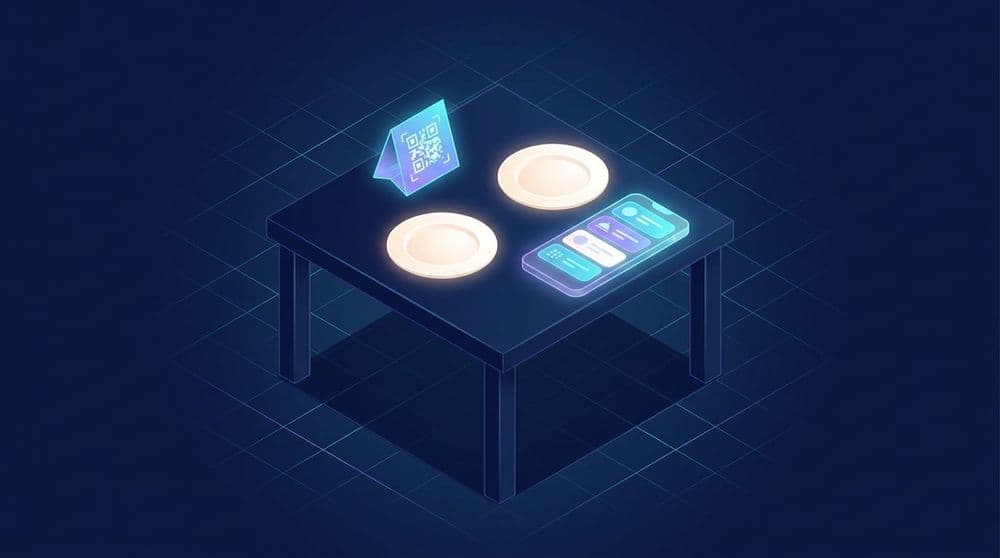
Set the table code to open your app for guests who have it and your web menu for everyone else. A regular scans and lands in the app on that branch's menu, logged in, with their points showing. A first-time guest scans and gets the web menu, with no download between them and dinner. In Ulinkly, you set the link's iOS and Android fallback URLs to your web menu address instead of the app store. On iPhone, guests without the app go straight to the web menu. On Android, they may see a short page with a "Continue to website" button the first time.
Ordering stays fast for everyone that way. The pitch for the app moves to a better moment, after the meal, when the guest is waiting for the bill and has a reason to care about points.
Carry the branch and table into the app
A code printed for a specific table can carry that table's details. Create one link per table, or one per area if your tables move around often, and each link holds the branch and the table number. When a guest who has the app scans, it opens on that branch's menu with the table already filled in. Orders reach the kitchen tagged with the right table, and nobody has to type a number. Your app reads those details and attaches them to the order, which is a job for your development team. For guests without the app, point each table link's iOS and Android fallbacks at that table's web menu address, so the web order is tagged too.
Per-table codes mean more links than one code per restaurant, so name them with a pattern you'll still understand later, like pizzeria-centro-table12. The trackable QR codes guide has more on naming links across many locations.
Turn the first order into a returning guest
A first visit gives a restaurant its best shot at a long-term guest. They liked the food and they're still at your table. A code on the bill folder or the receipt can invite them to install the app and collect points for tonight's meal. This code works differently from the table code: guests without the app go to the app store, not the web menu.
Deferred deep linking is what makes that invitation hold up. The guest scans, installs while they finish their coffee, and opens the app for the first time on a screen that already shows tonight's reward. The link carried the branch through the download, and your app awards the points by its own rules. The handoff works best when the guest installs and opens the app soon after scanning, while still on the restaurant's Wi-Fi, so the line next to the code should invite them to open it at the table.
If your point-of-sale system can print a unique code on each bill, that code can carry the order itself, and the app can award points for that exact meal. One code per branch works too, with a welcome reward standing in for the meal's points. The digital punch card guide walks through the same pattern for a coffee shop.
Restaurant groups with several brands in one app
Groups that run more than one restaurant brand often fold them into a single app. A scan in the pizzeria should open the pizza menu, and a scan at the sushi bar two streets away should open sushi. Each table code carries the brand along with the branch and table, so the app lands on the right menu, and with deferred deep linking that holds for guests installing for the first time.
Start every link name with the brand. Your reports then sort by brand before anyone touches a spreadsheet.
What to measure
Give each branch its own set of links and the numbers arrive already split by location. For each branch, compare the scans on the table codes with the installs that come from the bill. Inside a branch, look for patterns by table or area. A terrace might scan far more than the indoor room, or a bar area might barely scan at all.
The installs from the bill deserve the closest watch. They tell you how many one-time guests became app users, and that's the reason the code is on the bill in the first place. On paid plans, Ulinkly reports scans and installs for each link, and you can export link data as a CSV to compare branches side by side. The QR code marketing guide covers turning those numbers into a cost per install you can set next to your ad spend.
Ulinkly is free for up to 10,000 monthly active users per project, with unlimited links and a basic QR code for each one. The Starter plan, at $9 a month, adds deferred deep linking and install attribution, which carry the branch through the install and credit the install to the right code, along with per-link scan and install counts, branded QR colors, and CSV export.
Frequently asked questions
How do restaurants use QR codes?
Most restaurants use them to show the menu. The more useful setups let guests order and pay from the table, then invite them into a loyalty program or app after the meal. Codes that carry the branch and table number send orders to the right place, and giving each location its own trackable link shows which branches bring in app users.
How does QR table ordering work?
Each table gets a code linked to that table. The guest scans it, sees the menu for that branch with the table already filled in, and orders and pays from their phone. The order reaches the kitchen tagged with the table number. Table ordering can run through a web page or through the restaurant's own app.
Should a restaurant use a QR menu or an ordering app?
A PDF menu is the cheapest option and can't take orders. An app gives regulars the best experience, with points, past orders, and saved payment, though asking a first-time guest to download it before ordering slows them down. Many restaurants with an app set the code to open the app for guests who have it and a web menu for everyone else, then invite people to install after the meal.
Can a QR code open a restaurant app at the right table?
Yes, with a deep link that carries the branch and table number. Guests who have the app land on the right menu with their table filled in. With deferred deep linking, guests who install the app after scanning still open it on the right screen the first time, as long as they open it soon after scanning.
Do guests need to download an app to order with a QR code?
No. The code can open a web menu for guests without the app and open the app for guests who have it. The invitation to install works better at the end of the meal, when the guest can collect points on what they just ate.
Make every table scan count
Ulinkly gives every link a QR code and carries the branch and table into your app, so, on paid plans, each install is credited to the code that brought it in. Create a free Ulinkly account and set up a link for your first table.