Building developer tools is mostly the fun stuff. Shipping features, watching adoption grow, hearing from teams that finally got deep linking working in their app. But if you run a platform that redirects users anywhere on the internet, there is one guarantee that comes with the territory: sooner or later, someone will try to abuse it.
This month, someone did. Here's what happened — and what happened to them.
What we found
During one of our weekly usage reviews, two accounts stood out. Link destinations pointing to unfamiliar third-party infrastructure. Project names that didn't look like anything a developer would build. Click patterns that looked nothing like app testing.
It was phishing. Two accounts running campaigns that used Ulinkly links to redirect victims to credential-harvesting pages impersonating a French postal service.
The first account was small: a handful of clicks, all from the same IP — an operator self-testing a campaign before pushing it to real victims. The project was named "gestion de courrier" (French for "mail management"), and its links pointed to a fake package-cancellation flow.
The second was already live: over 1,200 clicks from French users and security scanners across an eight-day window, all funneled toward infrastructure on a known-bad domain.
Both accounts are gone. Every one of their links is dead.
How we caught it
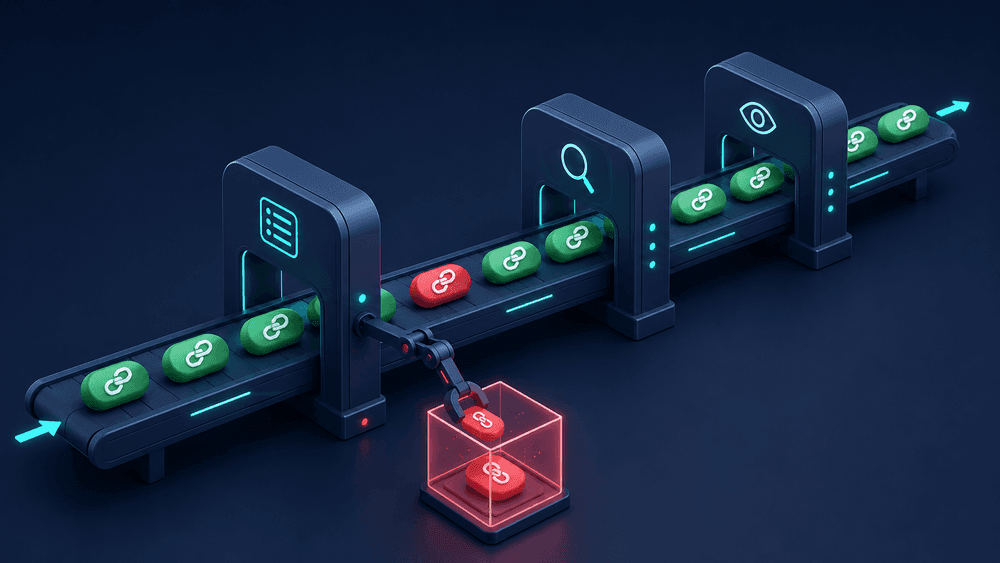
We didn't catch this from a user complaint or an external takedown request. We caught it ourselves, because abuse prevention on Ulinkly is layered — and most of it runs before a bad link ever goes live:
Known-threat destinations can't even be created. Every destination URL is checked against threat-intelligence feeds at creation time. If the host is on a known-malware or phishing list, the link is rejected on the spot and the destination is added to our blocklist.
Heuristics flag what lists can't. A set of automated evaluators scores every new link for the patterns phishing campaigns actually use: brand names embedded in lure subdomains, suspicious keywords, throwaway free-host destinations, risky TLDs, burst-creation behavior. Anything suspicious lands in a review queue.
A human looks at every flag. Automation decides what deserves attention; a person decides what happens next. We review the queue and overall usage patterns weekly — the same instinct that makes you check your server logs when something feels off. That's how these two accounts surfaced.
What happens when we confirm abuse
Once we confirmed what we were looking at, the playbook ran:
Every link died, instantly and everywhere. Suspension on Ulinkly is enforced at the data layer — a suspended project's links simply stop resolving. Visitors who click one see a takedown notice instead of being redirected anywhere. There's no cache to purge and no per-link cleanup where something can slip through.
The accounts were locked, with written notice. Both accounts are permanently suspended, and we told each account holder exactly why. If you're going to terminate someone's account, they deserve to know the reason — even when the reason is fraud.
We told the impersonated brand directly. Before anyone asked us to, we contacted the impersonated company's trust-and-safety team, shared what we found, and offered the full logs. If someone is using your brand to steal from your customers, you deserve to hear about it right away — not weeks later when the damage is done.
The evidence was preserved. Full click logs, metadata, and records are retained and available to affected parties and abuse-reporting services on request.
The rules were already public
We didn't have to invent a policy in the middle of an incident. Our Acceptable Use Policy spells out an explicit enforcement ladder — notice, throttling, disabling specific links or domains, and immediate suspension for anything that puts users or third parties at risk. Phishing skips straight to the last rung.
And reporting abuse doesn't require knowing anyone here: if you ever spot a Ulinkly link being used for phishing, spam, or anything that looks wrong, send it to abuse@ulink.ly with the link and any context. We investigate every report.
Why we're sharing this
A lot of platforms find abuse and stay quiet. We get the instinct — nobody wants to advertise that bad actors knocked on their door. But we think transparency is the better trade.
If you're a founder running anything that handles user-generated links or redirects: this will happen to you. Not maybe. Build the detection, the policy, and the reporting channel before you need them, because the first time you need them is not the moment to start.
If you're a Ulinkly customer: this is what "we take infrastructure health seriously" looks like in practice. We found it ourselves, the systems worked, and we're telling you about it.
And if you're thinking about running a phishing campaign on developer infrastructure: our platform checks your destination before your link exists, flags your patterns within minutes, and a human reviews everything you slipped past the machines. Your links will not stay up.
Spotted something suspicious? Report it to abuse@ulink.ly — we investigate every report.